Researching Steps
One starting point is the MrChromebox project. It might be the only way given this device’s EOL status with Google (last update was in 2023). Regardless I’m not interested in Chromebook functionality, nor in sharing the limited storage.
The machine is listed under Intel Skylake as “Samsung Chromebook Pro” as supported, HWID “CAROLINE”, but with a big red EOL in the RW_LEGACY Firmware column. WP_METHOD says “screw” and links to a picture of which screw grounds out the hardware write-protection system. (Do I remove this screw? Install it? I don’t yet know.)
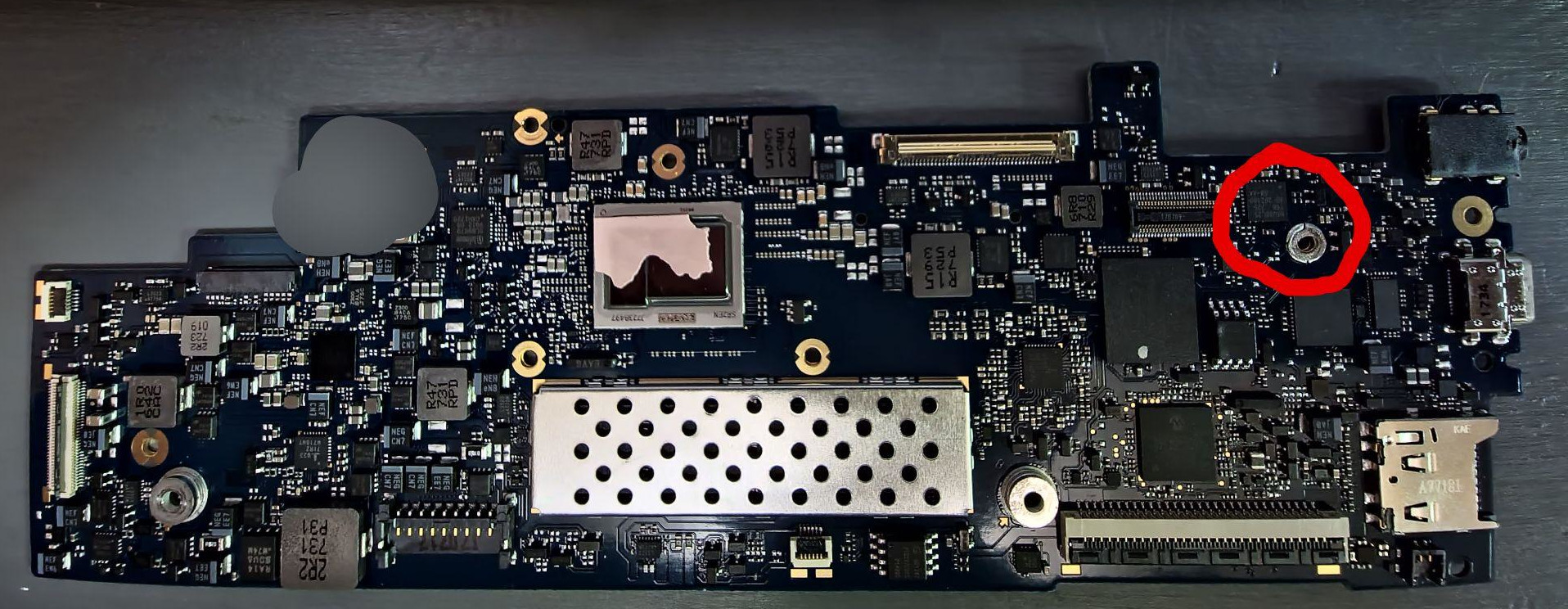
The procedure under “Replacing ChromeOS via Full ROM firmware” involves putting the box in Developer Mode, disabling hardware firmware write protection, running their Firmware Utility Script, flashing the UEFI Full ROM Firmware they provide, rebooting and then installing Ubuntu (or I suppose some other OS). I will refer to that source page when actually doing these steps as some link to details.